Showing posts with label css. Show all posts

Sunday, December 15, 2013

Ten Days Down the Road

This always happens when I start studying. I get sidetracked. My actual work started to heat up, preventing me from proceeding with the CSS book. I did receive Training Guide: Programming in HTML5 with JavaScript and CSS nearly a week ago and started noodling around in that, but didn't get too far.

I was advised this would be a good book to learn from even without working in Windows 8 and with Visual Studio (I'm not interested in the certification, just learning the information), but that means I get to skip a few chapters. The book is organized in "waves," so to speak, so you first get introduced to HTML, then JavaScript, then CSS. Later, you get more advanced information on HTML, then JavaScript, then CSS again, and so on. I'm only on page 32, so you can imagine things are still pretty elementary.

On the other hand, I did start the Codecademy JavaScript tutorial, but as usual, I got bogged down toward the end of "Introduction to Functions in JS." I've appealed for help to the forums so I guess I'll see what the error of my ways is by the by. 

I thought I was doing reasonably well there for awhile, but then the problems seemed to assume more knowledge than I had. I thought I had missed some key portion of a previous lesson and went back, working my way forward again, but it didn't help. One exercise gives me both an error and also passes me on to the next exercise, so that's confusing. On top of that, I thought my code was written exactly to specs.

The other exercise is beyond me. I don't find enough information in the instructions or the previous exercises to allow me to write code that doesn't complain at me. I know for actual programmers, these lessons would be painfully elementary, but to me, they're locked black boxes with no way in.

My real problem is that I don't naturally think like a programmer. I've read arguments back and forth on the web about whether anyone can learn to code. Sort of like the message in the Pixar film Ratatouille (2007), "Anyone can cook." 

I believe anyone can cook but not that anyone can cook well. The question remains, can anyone learn to code, even at an elementary level, or is programming a skill set for a specific population that no one outside that group can acquire? I feel like Codecademy's "teaching style" is good in that they don't just lead you around by the nose, giving you all the code upfront and then simply having you copy and paste, and then run short, small programs. On the other hand, when you get stuck, you're stuck. The hints on the last two exercises weren't helpful in the slightest.

Forums can be incredibly slow to respond, depending on how attentive the mods are, so I don't know how long I'll need to wait for a clue let alone an answer. A large part of programming is debugging, but that requires a sufficient understanding of how the code works to find the problem. I'm not there yet. The point of setting these work goals is to see if I can ever get there. Now that my job performance is riding on it, I'll have to figure out a way or be prepared (at least) to eat large helpings of humble pie.

That's my report, such as it is.

Addendum: Not that much time passed and I got two helpful responses on the forum. Turns out I made some minor, newbie errors. Oh duh. Now, back on track.

Thursday, December 5, 2013

Day Three of My Forey into CSS

After the limitations I discovered in learning CSS as part of the Codecademy Web Fundamentals track, I decided I needed something a little more in-depth. I considered another online program such as Lynda.com, but they cost bucks. OK, not a lot of bucks, but I didn't feel like bugging my boss for his credit card again, especially since I already made him buy me this book.

So I decided to look through some of the other books I've collected over the years and have been ignoring, and I selected this book from 2009. Yes, I know there's a more recent edition available, but this one is in hand right now, so why wait? It seems enough to get me started and I'll have a leg up on CSS by the time the other book arrives.

The question now is whether or not to just concentrate on CSS or to do as Codecademy previously (through automation) suggested and move on to JavaScript via their tutorial? Interestingly enough, that track is telling me that I finished the first section in Introduction to Programming. I hadn't realized I'd let so many of these tasks incomplete until revisiting the site of my old haunts, or perhaps I should call them "my old sins."

I suppose it wouldn't hurt to at least see what I was supposed to have learned in the distant past. Especially since the book I ordered from Amazon yesterday addresses HTML5, CSS3, and (drumroll) JavaScript.

The CSS book I'm using at the moment is rather slow going, but it's taking me over some really basic stuff I went through at Codecademy, and I could probably use the review to continue cementing this into my leaky memory. Oh, I installed the TextWrangler code editor on my Mac at work. Not the greatest tool I've used, but it's free and does a descent job. I really miss how the online editor at Codecademy worked. You could toggle back and forth between the HTML and CSS tabs to do the editing, but the Results window instantly showed your changes. Beats having to continually refresh a web browser.

I find it interesting that after ignoring this blog for over a year, I should be writing daily blog posts here. Go figure.

Wednesday, December 4, 2013

Finished Codecademy's Web Fundamentals Tutorial, but...

I finished Codecademy's Web Fundamentals tutorials They lessons are broken down into the following sections:

  1. Introduction to HTML
    1. HTML Basics
    2. Build Your Own Webpage
  2. HTML Structure: Using Lists
    1. HTML Basics II
    2. Social Networking Profile
  3. HTML Structure: Tables, Divs, and Spans
    1. HTML Basics III
    2. Clickable Photo Page
  4. Introduction to CSS
    1. CSS: An Overview
    2. Design a Button for Your Website
  5. CSS Classes and IDs
    1. CSS Selectors
    2. Sorting Your Friends
  6. CSS Element Positioning
    1. CSS Positioning
    2. Build a Resume

Before my tutorial "hiatus" some months ago, I had stopped right after "Clickable Photo Page" and before "Introduction to CSS". A perfect place for me, actually. I did the CSS section in two days and felt pretty confident until I got into "CSS Positioning." Even though I solved all the problems (there's a lot of help) and successfully completed the tutorial (earning various "badges" along the way), when I built my Resume as the last task in the CSS section, it looked awful. Technically, the code was all correct, but the header stacked over the left and right divs and I could never figure out how to correctly style the text in the footer.

I certainly give props to the folks at Codecademy for how well this tutorial flowed. I've gotten farther in understanding CSS than half a dozen books and various websites have taken me. But when I was prompted to take the JavaScript tutorial next, I knew I was hardly ready. There's a lot more to web design than what I learned in this set of lesson. Got "intermediate web design," folks?

Tuesday, December 3, 2013

Oh man! I've really ignored this place!

I can't believe it's been over a year since I've written on this blog. Well, yes I can. My priorities have shifted quite a bit, certainly away from learning Python. I think my brain just gets stuck at a certain stage of the learning process and I can't break beyond the barrier. So I give up and pursue an avenue that's a little easier to navigate (or one that I feel more passionate about).

But that's changing.

I've made a number of abortive attempts at learning in other venues including Codecademy. I felt like I wasn't learning how to program there either, but a number of months ago (I don't remember how many), I "started with the basics," as Edna might say, and revisited Codecademy's vanilla-level HTML tutorials. I know. That's shamefully elementary, but I wanted to get back into an area where I felt comfortable and at home, and then start ramping up again...slowly.

But I got distracted again and let it slide.

However, performance evaluations have a habit of shaking one out of complacency and overcoming inertia. I perform some routine maintenance tasks on two websites for the folks I work for. No real heavy lifting, just add a blog post, insert a news item, post a job listing, that sort of thing. We hired a company to do all the design and development which I would be helpless to accomplish.

Now, one of my goals for the coming year, my official work goals, is to learn more about web design and maybe even some development work so I can take greater responsibility for our sites. My boss will pay for any training that I want (within reason). The problem is, where to look for the resources I need to accomplish my goals (and they're not tightly defined)?

I decided to revisit some old friends of mine, namely the Certforums IT certification boards. I received some suggestions besides the CIW Web Design Certification I was initially considering. You can click the link for Certforums to get the details.

While asking more questions online and pondering my options, I logged into the Codecademy site and discovered that I had stopped my last tutorial right on the edge of "Introduction to CSS".

Cascading Style Sheets (CSS) has been a sort of nemesis of mine, although I don't know why. It shouldn't be any more complicated than HTML but some sort of phobia kicked in and I dropped that one like a hot rock, too.

Today though, with new motivation in hand and no other viable option immediately available, I decided to give Codecademy another whirl and I was hooked. Everything seemed so easy (not that I've done that much yet) and I felt like an old dog might still have a few tricks left in him. Mind you, this is light years easier than programming, but I've got to start somewhere.

I've been missing this blog. It was my first blog and I have a nostalgic attachment to it. I see that fifty people are subscribed so when I post a new article after over a year, I can only imagine fifty people are going to fall over in shock...or wonder, who the heck is that, having forgotten all about me and an old blog called "A Million Chimpanzees."

If you've taken the time to read my entire request posted at Certforums and you'd like to respond with something helpful and polite on this blog, I'd be appreciative. If not, then at least I've gotten the ball rolling on this neglected corner of the blogosphere.

As I discovered when writing on another of my blogs (where I spend most of my time these days), blogging is a great way for me to process information. I think that's what I was trying to do here too, but the information wasn't sticking so my determination flagged. Since I've made learning basic web design skills a work goal along with a number of other priorities, I can't just drop it again. What I can do though, is blog about what I'm learning, what I'm not learning, where I'm stuck, and where I'm going.

I don't expect a lot of people to care (barring spammers, of course), but like I said above, any reasonable suggestions and responses are welcome.

As I make my way through the next series of Codecademy tutorials, I'll post my progress. If something else comes up, I'll mention that, too. If you've got other suggestions (books, online resources, and so on), let me know.

Sunday, January 31, 2010

Book Review: Web Design for Developers

A Programmer's Guide to Design Tools and Techniques
Author: Brian P. Hogan
Format: Paperback, 300 pages
Publisher: Pragmatic Bookshelf; 1st edition (December 15, 2009)
ISBN-10: 1934356131
ISBN-13: 978-1934356135

While there can be some overlap between web designers and web developers, they tend to define their own specific worlds. However, what if a programmer would also like to be better at design? Where does he or she go? Turns out Brian Hogan and the folks at Pragmatic thought in that direction as well and came up with Web Design for Developers. I guess the title gives it away. But is this book just for programmers who want to learn design?

On the surface, the answer to that question seems to be "yes". You've created a killer web app but the appearance of said-killer app looks lousy...or at least doesn't look as good as you'd like it to be. Of course, you probably know someone who could help out with the design, but it might be nice to be able to do the job yourself. How to begin? The blurb on the back cover mentions magic words such as PhotoShop and CSS so I'm guessing that's where you'd start. I still can't imagine that a book like this is only for programmers, though. Let's dig a little deeper.

Well I'll be darned (or something). As I began looking through the book, the target audience seems to be folks who are cracker jack web developers but who really don't have much of a clue about how to actually design a web site. I point you to Chapter 9: Building the Home Page with HTML as proof of this. For people who've mastered the arcane intricacies of ASP, PHP, Python, and Ruby on Rails, I wouldn't think a simple markup language would be much of a chore, and for some programmers I know, it's not. Actually, for most programmers I know, it's not. On the other hand, while HTML might not be much of a basic challenge to a developer, creating a web site and making it look good could be an uphill climb, as it requires something of an artistic way of viewing the web.

That explains the earlier chapters in this book, which includes basics on style, color, fonts, and graphics. To my relief, Hogan did mention both GIMP and PhotoShop, so his book isn't a slave to proprietary software. That's good, because designing for the web can be done very expertly utilizing the world of open source tools. This also gets at what I was alluding to a few paragraphs ago. Do you have to be a programmer to benefit from this book? No.

What do at least some web developers and any one else who wants to design web sites but have little or not experience with the job have in common? The question provides the answer. There's nothing in the book's presentation of the topics involved that can only be understood by programmers. If a developer can read and understand font and typographic basics, so can the non-developer. The would-be web designer picking up this book will likely get the same information and skills practice as the programmer thumbing through the pages.

I particularly liked the section called Adding Graphics, which contained a number of chapters instructing the reader how to put together a mock-up site, focusing on structure and content. If you don't have experience making an image in your imagination turn into a real web site design, these chapters will help you operationalize your images and your dreams...and this comes before even one word about HTML and CSS.

Another nice feature in the book that I rarely (but not never) see is how to design for web browsers. The author slams Microsoft's Internet Explorer, and rightly so, but also addresses what you have to do to design for IE's tendency to work outside of accepted standards, particularly IE6 (which should just plain be abandoned). From designing for people who are visually impaired to designing for mobile devices, Hogan hits all the areas someone building for the web in 2010 needs to understand.

The mock-up site designed early in the book has a life throughout its pages and acts as an anchor for developing and refining all of the different tools and techniques practiced by the reader. Some content, such as testing and performance optimization (Chapter 20) might be more familiar to programmers than other folks, but, if you've gotten this far in the book, you'll probably be ready to tackle such tasks anyway.

I can't say the book is revolutionary or that I haven't seen its content in other books, but taken all by itself, Web Design for Developers is a good primer for anyone who would like to learn web design from a global perspective. From graphics, to color, to fonts, to HTML/CSS, and onward, Brian Hogan has written a solid little book that should get you off the ground and into web design, whether you're a programmer or not.

Share/Bookmark

Wednesday, September 16, 2009

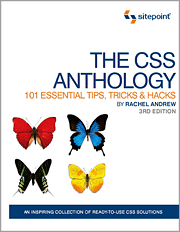
The CSS Anthology: 101 Essential Tips, Tricks & Hacks

Author: Rachel Andrew
Paperback: 400 pages
Publisher: SitePoint; 3rd edition (July 28, 2009)
ISBN-10: 0980576806
ISBN-13: 978-0980576801

I previously reviewed the 2nd edition of this book, so I was interested in what was changed and/or added in its current incarnation. Of course, the release of Firefox 3 and IE 8 are enough to warrant an updating of "tips and tricks" relative to CSS and web design, but was there more? The back cover blurb didn't indicate such, but I looked further.

The Preface seemed a likely place to start. There is no What has changed in this book section. The What's Covered in this Book? portion is a detailed summary of the TOC, but doesn't mention how chapters here compare to those in the prior edition. The Who Should Read this Book? piece is as you might expect: aimed at people who need to use CSS, such as designers and developers, and who don't need a lot of hand holding. Sorry if that sounds "snarky", but this book has always been about getting up to speed fast and dispensing with high level explanations and theory.

Chapter 1 is actually a quick tutorial on CSS, if you need a bit of a refresher. That shouldn't really include the main audience for this book, but there will be people who buy Andrew's text who might benefit. Chapter 2 also tends towards "the basics" as the title indicates: Text Styling and Other Basics. Fortunately, this chapter is also the start of the "anthology" content of the book, offering information formatted as Question, Solution, and Discussion. The Discussion part of each "tip" is certainly the largest, containing information on any specifics, curve-balls, and gotchas that may be contained in the particular technique involved.

Chapters are organized into functions such as Navigation, Tabular Data, Forms and User Interfaces, and so on, so if you have an area of interest or need, just shoot right to the relevant chapter, and then find the required task. Chapter 6 is the "Forms" chapter, but is really only half the story. Yes, it covers the browser end of forms, but of course, they won't really work unless you have the server side configured as well (think PHP, for instance). In that sense, the chapter and the book operate as one piece in the larger puzzle of web design and development. It's also a reference by design, so don't imagine that it's the first book you'll need to learn CSS.

I was mainly interested in Chapter 7: Cross-browser Techniques, since that's the primary reason for issuing another edition of this book. Designing websites for different platforms requires the designer to think in very broad terms, depending on the designer's audience. You have to address the most widely used browsers (unless you're serving a niche market), plus consider both PC/Mac, and mobile device platforms, if you care about that sort of thing. A common newbie designer mistake, is to create a site and test it on only one browser (and only one version of that browser), and only one OS. I've created what I thought of as a beautiful site when viewed in Firefox on Linux, but that turned out to be a "problem child" when I looked at it in IE 7 on XP. Andrew includes a nice little table on page 220, outlining the various browser and OS platforms to consider, including Safari, Chrome, and Konqueror, so a lot of thought has been given to this matter.

Chapter 7 is the "testing" chapter, instructing the reader on the options for being able to view their creations on Windows, Linux, and Mac (Linux live CDs, dual booting options, and so on). We are all some kind of "user". I tend to be a Linux user, but my wife exclusively uses Windows, and my daughter tends towards Mac. Developers have preferences as well, but letting those preferences dictate how you design and test can be a critical mistake, especially if you're doing this for money, and your company wants your product to work equally well for all customers.

I've read bad reviews on the previous edition of this book but, in my opinion, it was the reviewers who made the mistake. Their basic assumption was that they could learn CSS, more or less from scratch, by reading Andrew's text. This is not the intent of this book. If you know little or nothing about web design in general, and CSS in particular, acquire those skill sets first. This book is intended to help the reader solve specific problems, relative to the latest OS, browser, and hardware platforms, not to be a general introduction to the topic.

SitePoint offers a couple of forums to support the book, which is great, since I sometimes have questions about content that I can't get answered any other way. I did find the pop-ups on the forums rather annoying, though. Nice that you want to market your books, SitePoint, but if I'm on your site, I'm already aware of them and interested. Don't kill the "magic" by being too commercial.

If previous reviews of a book are good (as is the case with this book), then usually (unless the publisher or author decided to completely throw a monkey wrench into the machine) subsequent editions will maintain the quality. Fortunately for SitePoint and Andrew, the 3rd edition is up to snuff. If you fit the audience profile, and need to update your CSS skills for the most current browsers and so forth, The CSS Anthology: 101 Essential Tips, Tricks & Hacks should be on your wish list.

Share/Bookmark

Monday, February 9, 2009

Review: Head First Web Design

Authors: Ethan Watrall and Jeff Siarto Format: Paperback, 495 pages Publisher: O'Reilly Media, Inc. (January 2, 2009) ISBN-10: 0596520301 ISBN-13: 978-0596520304 I recently reviewed Creating a Web Site: The Missing Manual and thought a review of this Head First book would be in order. While you might say that both of these books cater to beginners who don't have a history of creating and maintaining web site, you can also say that each book caters to its own special audience. Actually, these two books have two different audiences in more than one way. The Head First series, as I mentioned in my review of Head First Algebra, tends to be best used by younger people. A high school age audience is ideal and if you have been diagnosed with the dreaded initials "A-D-H-D", so much the better. All of the pictures, drawings, arrows, puzzles, and other input types are just great if you normally hate sitting still for more than a few minutes at a time reading straight text. However, as I glanced through the front matter of Watrall and Siarto's book, I got a mild shock. They didn't write this text for the "right-at-the-starting-gate" beginner. Specifically, the book assumes you have prior experience with XHTML (the most recent "buzzword" for HTML that conforms to the latest standards) and CSS, plus have some knowledge of PHP, .NET, and/or Ruby on Rails. If you don't fit this description, the publisher recommends picking up a copy of Head First HTML with CSS & XHTML to get started. So just what does this "web design" book teach? The book proposes to take up where designing a static HTML/CSS site leaves off. Specifically, to teach how to design and develop web sites for the professional or the wannebe-professional web designer. Your first clue that this Head First book is different from the rest of its siblings is that it's in color. I know it's an odd detail to mention, but all of the other Head First books I've seen to date have been strictly monochrome. It never occurred to me that color would be an option in this series (unless there's such a book as "Head First Color Digital Photography"). Relative to the audience-type I mentioned before, this isn't the easiest subject to teach, even in the Head First format. Action-oriented readers are doers, not necessarily planners, and designing professional web sites requires a lot of planning. Chapter 1 covers how to storyboard a proposed web site, which is a necessary first step in many artistic projects. This is contrary to the artist who, extending the metaphor, would rather grab a blank canvas and some paints and start spontaneously creating. Of course, using this approach, you don't always know what you'll end up with until it happens. With designing web sites, and particularly for people who are paying you, this isn't always the best option. While the web pages and some of the diagrams are better rendered in color for the sake of this book, I'm not sure that goes for the photos of the actual people (models). They tend to work better, at least for me, when they retain a more monochrome effect. It makes them easier to take, given their lack of surroundings. In fact, as I made my way through more of the book, I realized that I was having trouble shifting back and forth between the reality that color lends to screenshots of web sites and the more "cartoony" feel of the rest of the Head First format. I agree, it's better to "tell this tale" in color rather than monochrome, but it creates another problem. I found myself wondering if the reader, having become at least competent in basic XHTML/CSS and one or more programming languages, might be better served by "graduating" to a more standard web design/development text. I think of the Head First series as a single stepping stone for a person at a particular stage in their cognitive development (which is different than intelligence) that needs information served up in a particular format at this time in their life. Once they progress beyond that developmental milestone, they will be able to tolerate more "standard" information streams. This Head First book comes closer to the border between its realm and the realms covered by those other info streams than I would have expected. My basic assumption though, could be flawed. I have assumed that people "grow out of" needing to have all or most of their information provided the way the Head First series offers learning. On the other hand, how many people actually prefer the "video game" method of learning their entire lives? Is this also a generational difference in learning styles and that I'm on the wrong side of that particular line? No, otherwise, no one in their 20s could learn from any of O'Reilly's "The Definitive Guide" or "Cookbook" series, among others, and I know that's not true. The book might have been better titled "Head First Professional Web Design", since "web design" as a term, covers a wide field. Maybe that's what threw me off. While I, as an individual learner, am not often best served by this series (the Algebra book being the exception), this web design book seems to almost be pulling the audience away from a strict "Head First" learning model and encouraging them to take the next step. The "atypical-ness" of this one Head First book is being reflected in the difficulty I'm having in reviewing it. It's not that the book doesn't teach its subject well, it's just that the book has to bend it's own series format rules in order to do a good job. Could the audience have taken the next step on their own and just learned the same content from a different book? I'm not sure. Maybe the book serves those people who are used to and like the Head First format and don't feel ready to move away from it...even though they are. Is this book a good teacher for its audience? Probably. It just seems that, in order for the authors to teach this topic, they needed to appeal to the audience to stretch beyond what Head First normally offers. That may mean that Head First has an upper limit for what it can teach. As I review more in this series, I'll see if there's a point past which it cannot go.

Wednesday, January 28, 2009

Review: Creating a Web Site: The Missing Manual

Author: Matthew MacDonald Format: Paperback, 606 pages Publisher: Pogue Press; 2nd edition (January 7, 2009) ISBN-10: 0596520972 ISBN-13: 978-0596520977 Matthew MacDonald is something of an "in-house" author for the Missing Manual series. He's "penned" (and I use the term loosely in this day of the word processor) Access 2007: The Missing Manual, Excel 2007: The Missing Manual and, of all titles, Your Brain: The Missing Manual (and since I've reviewed all three of these books, I can tell you that he had a little expert help with the last one, especially). He's also written quite extensively for Apress and seems to be well versed on a number of topics. That's why I thought Creating a Web Site might be a little "light" for him. I don't belittle the creativity and technical expertise involved in developing a website (and having created a few in my day, I know whereof I speak), but HTML, CSS, and a smattering of JavaScript isn't perhaps as challenging as writing about how your brain works. On the other hand, there's really so many details to web design that, instead of being to "light", MacDonald may have bitten off more than he could chew by trying to cram "everything" into a single book. Of course, I'm speaking from the point of view of not having cracked open the cover yet. Let's see what this book has under the hood (and I'm really mixing my metaphors in this paragraph). Actually, it's "the hood" I noticed first, or rather the red "ribbon" on the cover saying, "Fully-Revised 2nd Edition". I'm used to reviewing later editions of earlier classics (the first edition of this book reviewed quite well), but "fully-revised" caught my attention. When writing a subsequent edition, often much of the original content doesn't need to be changed; just the bits of the technology that have been updated in the few years between books. Fully-Revised implies MacDonald overhauled the entire thing. It would be almost like writing a new book. No clues were to be had on the back cover, so under the hood I went. I was also disappointed that the Introduction held nothing that said "What's New in this Book". I'd be willing to bet that Part Five: Blogs is probably one of the sections that was added. Of course, if MacDonald really did completely redo the book from scratch, there will be no new "parts" of the book; the entire structure and content will be new. Sadly, I didn't find any direct indication of this in the opening parts of the book, either. What I did find, at least at the beginning, was a book written for the beginner. Fortunately, there's no "history lesson" on the development of "the Internet" or web browser development (I don't think I could have forced myself to take another stroll into the early years of Netscape). Chapter 1 does lightly gloss over about a page worth of Internet history, the major browsers (including Google Chrome; newbie on the block) and various conceptual items. Chapter 2 offers the reader the opportunity to create their first webpage and so on. Definitely starting at ground zero, which isn't a bad thing. If you wanted to design your own wee site, you'd want a book to hold your hand and guide you along the front end of the trail. There's enough in the second chapter to get the reader to create a single HTML page and display it in a browser. Progressing through the book is like walking up a set of stairs. This is good for a linear thinker like me. Since this is a book about building websites, it presents more than just HTML and such. Chapter 3 talks about how to choose a webhost; necessary if you expect people to be able to access your site via the web. Chapter 4 introduces the reader to web editors including Adobe Dreamweaver (of course) and Microsoft Expression Web, but also lesser known editors such as open source Nvu and w3.org's Amaya. Since this is a general text about building websites, the material here goes into virtually no depth at all and we know that entire racks of books have been dedicated to Dreamweaver. Don't expect to become an expert on any of the editors from what this text gives you. Part Two takes the reader back into the basics of building and developing web pages, going into more detail about XHTML and CSS, then building on those concepts and practices. This part of the book is what you'd typically expect and MacDonald delivers. In fact, at roughly 200 pages, you could consider this section to be a small book all it's own, teaching the language side of website construction. Remember though, a generalist book has to cover a lot of territory. Part Three is the "marketing" section. Once you've built a site, it doesn't do much good if people don't visit. There's even some material on how to monetize your site using tools such as Google AdSense, Amazon Associates and so on. I thought we were probably through with the "technical" side of website development, when MacDonald took me back into the realm with what he calls "Web Site Frills". These days, I don't consider JavaScript a "frill" but rather a standard "screwdriver" or "hammer" in the web designer's toolbox. Of course, limited to one chapter, there's not a huge amount of information to be gleaned (and The Missing Manual series has an entire book dedicated to JavaScript written by David Sawyer McFarland, but I digress). Of course, how many amateur web designers just "Google" for the bit of JavaScript they need and paste the ready-made code into their webpages? The part of the book on Blogs seemed a bit of a departure from everything that came before, mainly because a blog isn't a website as such. People (myself included) often have a website and blog, since they fulfill different functions on the web. Even MacDonald introduces this section by telling the reader that he's moving away from the web site building agenda. He makes heavy use of Google's Blogger which is building a blog with assistance. I will admit that the skills the reader should have learned up to this point will let them customize the style sheets underlying the standard templates, so they can create their own look and feel (functionality is still largely controlled by the available widgets). I found the "hazards" of blogging box interesting as the author addresses some of the social pitfalls of putting what amounts to a personal journal on the web for all to see. If you've never made a blog with Blogger before and think you might be intimidated by the process, this section contains a nice tutorial for the you. "Marketing" your blog is restricted to another box at the end of the section, but it might be helpful for the uninitiated. I was pleased to see that the appendixes included the expected XHTML reference and a "useful web sites" list, but I'm not sure what to think of the book overall. It's been awhile since I've needed a basic primer on building a web site, and I'm torn between thinking the book was too short and too long. It really tried to cover all the basics and then some, and yes, the reader will be able to design, develop, and publish a site to the web if they follow what this book says. On the other hand, it's a mile wide and an inch deep. You can't cover everything you'd really need to know to design a really good site in a single book, even if it's over 600 pages long. I think the book might better have served its audience, even if it reduced itself in size, by confining itself to teaching web design and publishing basics. I'm not even sure I'd have thrown JavaScript into the mix but instead, would have pumped in more HTML and CSS. I'm torn because, as I previously said, you hardly find a site on the Internet anymore that doesn't have some JavaScript. So where do you draw the line as far as what to put in this book and what to leave out? What I really wanted to see was references to the other Missing Manuals that more exclusively cover the technologies barely touched upon in this text. The Missing Manual series has books on just about everything that addresses CSS, JavaScript, Dreamweaver, and such and in depth. Using this book as a spring board into those other books might have been the way to go. Don't get me wrong. The book will teach you want you need to know to create a web site, and MacDonald is honest, albeit in the Blog part of the book, that what the book doesn't address is how to maintain a website. If you do what the book says, you'll have a website on the Internet that will function at least adequately. If that's the goal of the book and the reader, then you're all set. It's just that so much more can be done and many of the book's chapters could have ended with something like "Please see CSS: The Missing Manual to get more out of your style sheets". As a parting thought, I received Head First Web Design from O'Reilly the same day as I did the Missing Manual book, so it'll be interesting to me (and hopefully to you) to compare the two books when I write the "Head First" review. Which book is better for the beginning web designer or, does each book point to a different audience? We'll find out soon.