Thursday, December 5, 2013
Day Three of My Forey into CSS
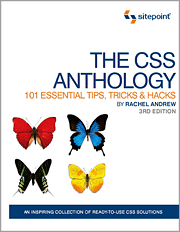
So I decided to look through some of the other books I've collected over the years and have been ignoring, and I selected this book from 2009. Yes, I know there's a more recent edition available, but this one is in hand right now, so why wait? It seems enough to get me started and I'll have a leg up on CSS by the time the other book arrives.
The question now is whether or not to just concentrate on CSS or to do as Codecademy previously (through automation) suggested and move on to JavaScript via their tutorial? Interestingly enough, that track is telling me that I finished the first section in Introduction to Programming. I hadn't realized I'd let so many of these tasks incomplete until revisiting the site of my old haunts, or perhaps I should call them "my old sins."
I suppose it wouldn't hurt to at least see what I was supposed to have learned in the distant past. Especially since the book I ordered from Amazon yesterday addresses HTML5, CSS3, and (drumroll) JavaScript.
The CSS book I'm using at the moment is rather slow going, but it's taking me over some really basic stuff I went through at Codecademy, and I could probably use the review to continue cementing this into my leaky memory. Oh, I installed the TextWrangler code editor on my Mac at work. Not the greatest tool I've used, but it's free and does a descent job. I really miss how the online editor at Codecademy worked. You could toggle back and forth between the HTML and CSS tabs to do the editing, but the Results window instantly showed your changes. Beats having to continually refresh a web browser.
I find it interesting that after ignoring this blog for over a year, I should be writing daily blog posts here. Go figure.
Wednesday, December 4, 2013
Finished Codecademy's Web Fundamentals Tutorial, but...
I finished Codecademy's Web Fundamentals tutorials They lessons are broken down into the following sections:
- Introduction to HTML
- HTML Basics
- Build Your Own Webpage
- HTML Structure: Using Lists
- HTML Basics II
- Social Networking Profile
- HTML Structure: Tables, Divs, and Spans
- HTML Basics III
- Clickable Photo Page
- Introduction to CSS
- CSS: An Overview
- Design a Button for Your Website
- CSS Classes and IDs
- CSS Selectors
- Sorting Your Friends
- CSS Element Positioning
- CSS Positioning
- Build a Resume
Before my tutorial "hiatus" some months ago, I had stopped right after "Clickable Photo Page" and before "Introduction to CSS". A perfect place for me, actually. I did the CSS section in two days and felt pretty confident until I got into "CSS Positioning." Even though I solved all the problems (there's a lot of help) and successfully completed the tutorial (earning various "badges" along the way), when I built my Resume as the last task in the CSS section, it looked awful. Technically, the code was all correct, but the header stacked over the left and right divs and I could never figure out how to correctly style the text in the footer.
I certainly give props to the folks at Codecademy for how well this tutorial flowed. I've gotten farther in understanding CSS than half a dozen books and various websites have taken me. But when I was prompted to take the JavaScript tutorial next, I knew I was hardly ready. There's a lot more to web design than what I learned in this set of lesson. Got "intermediate web design," folks?
Thursday, October 14, 2010
HTML5: Up and Running
Format: Paperback, 240 pages
Publisher: O'Reilly Media; 1 edition (August 25, 2010)
ISBN-10: 0596806027
ISBN-13: 978-0596806026
I became impatient with the history lesson in Chapter 1 and wanted to test drive HTML 5. What's different? What's new? Guess I'll have to work to find out. As the blurb I found at Amazon said of HTML5, It’s not one big thing. It's not a matter of learning a new markup language from scratch, which is both a good and bad thing. In fact, again to quote the author's blurb, “Upgrading” to HTML5 can be as simple as changing your doctype...In HTML5, there is only one doctype: !DOCTYPE html. That's encouraging, but just how easy is it to learn HTML5 and how easily can you learn it from Pilgrim's book? I went in search of the answers.
The first place I went was the book's Preface to see where I could find a link to the source code. I was pointed to the author's site Dive Into HTML5, which is the original book on which the book I'm reviewing is based, but it didn't have a clear cut link to anything called "source code". Maybe this is where It’s not one big thing comes back to bite me.
Chapter 2: Detecting HTML5 Features introduced me to Modernizr (yes, I spelled it right), which is a nifty JavaScript library that detects the HTML5 and CSS3 features your browser will support. It also creates a self-titled global JavaScript object containing the properties for each such feature. However, if your browser doesn't support certain HTML5 features, Modernizr won't fix it. But what about learning HTML5? We kind of got away from that.
Oh wait! Chapter 3: What Does It All Mean? helps. I found the link to a set of code examples which got me started. Then, as I progressed through the book and through the author's site, which runs in parallel and often in duplicate, I realized how the book was organized. This is no small feat, but maybe it was my expectations that made the task difficult. I was expecting a front-to-back guide to getting started with HTML5 and what I discovered was a collection of loose pieces in a box.
Learning HTML5 from Pilgrim's book is like putting together a jigsaw puzzle. When you first open the box, all you can see are a collection of jumbled pieces that, taken at a glance, don't make a lot of sense. If you had never encountered a jigsaw puzzle before, you might look, become confused as to what these pieces mean lying in such disarray, close the lid, and walk away looking for something more comprehensible.
One missing pieces of the puzzle, so to speak, is a knowledge for HTML4. Imagine the raw code of an HTML4 web page. Now imagine that you are presented with a list of tags and other markup elements you're not familiar with. What are you supposed to do with them? How do they work? What do they replace (if anything)? Using Chapter 3 on his web site for an example, I tried to navigate around until I could find something I could sink my teeth into.
Got a lesson on DOCTYPE, history lessons on the root and head elements, lots of other stuff to scan past, a section called A Long Digression Into How Browser Handle Unknown Elements, more stuff...more stuff...then it began to register. I started to hit spots on the pages that said stuff like, this is how we used to do things (add example of old code) and this is how you do it in HTML5 (add example of new code). The information is there, it's just not organized and called out the way I wanted it.
I went back to the book, compared it to the same pages on the author's site and "got" the organization. It may be a matter of how I think vs. how the author thinks, but from that point on, it was easier to tease what I wanted to know out of the book's pages.
I think HTML5 is fabulous but I'm not sure that HTML5: Up and Running is the best book to use as an introduction. It most definitely is not the best book to use for an introduction if you aren't familiar with HTML in general. I'd recommend navigating the author's website before buying the book. If you "get" the website, you'll "get" the book. They're pretty much the same thing.
Sunday, January 31, 2010
Book Review: Web Design for Developers
Author: Brian P. Hogan
Format: Paperback, 300 pages
Publisher: Pragmatic Bookshelf; 1st edition (December 15, 2009)
ISBN-10: 1934356131
ISBN-13: 978-1934356135
While there can be some overlap between web designers and web developers, they tend to define their own specific worlds. However, what if a programmer would also like to be better at design? Where does he or she go? Turns out Brian Hogan and the folks at Pragmatic thought in that direction as well and came up with Web Design for Developers. I guess the title gives it away. But is this book just for programmers who want to learn design?
On the surface, the answer to that question seems to be "yes". You've created a killer web app but the appearance of said-killer app looks lousy...or at least doesn't look as good as you'd like it to be. Of course, you probably know someone who could help out with the design, but it might be nice to be able to do the job yourself. How to begin? The blurb on the back cover mentions magic words such as PhotoShop and CSS so I'm guessing that's where you'd start. I still can't imagine that a book like this is only for programmers, though. Let's dig a little deeper.
Well I'll be darned (or something). As I began looking through the book, the target audience seems to be folks who are cracker jack web developers but who really don't have much of a clue about how to actually design a web site. I point you to Chapter 9: Building the Home Page with HTML as proof of this. For people who've mastered the arcane intricacies of ASP, PHP, Python, and Ruby on Rails, I wouldn't think a simple markup language would be much of a chore, and for some programmers I know, it's not. Actually, for most programmers I know, it's not. On the other hand, while HTML might not be much of a basic challenge to a developer, creating a web site and making it look good could be an uphill climb, as it requires something of an artistic way of viewing the web.
That explains the earlier chapters in this book, which includes basics on style, color, fonts, and graphics. To my relief, Hogan did mention both GIMP and PhotoShop, so his book isn't a slave to proprietary software. That's good, because designing for the web can be done very expertly utilizing the world of open source tools. This also gets at what I was alluding to a few paragraphs ago. Do you have to be a programmer to benefit from this book? No.
What do at least some web developers and any one else who wants to design web sites but have little or not experience with the job have in common? The question provides the answer. There's nothing in the book's presentation of the topics involved that can only be understood by programmers. If a developer can read and understand font and typographic basics, so can the non-developer. The would-be web designer picking up this book will likely get the same information and skills practice as the programmer thumbing through the pages.
I particularly liked the section called Adding Graphics, which contained a number of chapters instructing the reader how to put together a mock-up site, focusing on structure and content. If you don't have experience making an image in your imagination turn into a real web site design, these chapters will help you operationalize your images and your dreams...and this comes before even one word about HTML and CSS.
Another nice feature in the book that I rarely (but not never) see is how to design for web browsers. The author slams Microsoft's Internet Explorer, and rightly so, but also addresses what you have to do to design for IE's tendency to work outside of accepted standards, particularly IE6 (which should just plain be abandoned). From designing for people who are visually impaired to designing for mobile devices, Hogan hits all the areas someone building for the web in 2010 needs to understand.
The mock-up site designed early in the book has a life throughout its pages and acts as an anchor for developing and refining all of the different tools and techniques practiced by the reader. Some content, such as testing and performance optimization (Chapter 20) might be more familiar to programmers than other folks, but, if you've gotten this far in the book, you'll probably be ready to tackle such tasks anyway.
I can't say the book is revolutionary or that I haven't seen its content in other books, but taken all by itself, Web Design for Developers is a good primer for anyone who would like to learn web design from a global perspective. From graphics, to color, to fonts, to HTML/CSS, and onward, Brian Hogan has written a solid little book that should get you off the ground and into web design, whether you're a programmer or not.